
SURFACE LUX
How much light lands here?
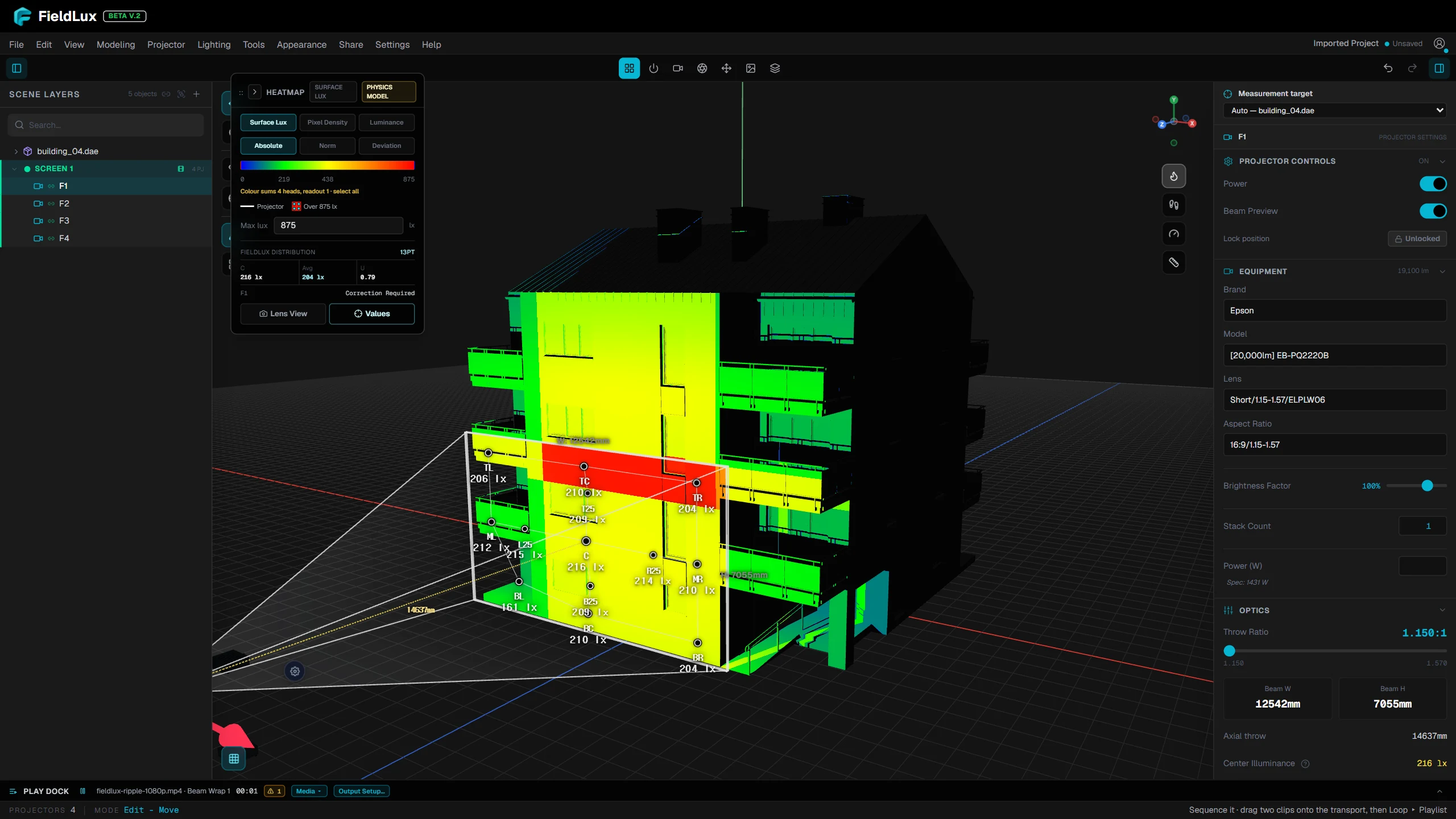
Read illuminance in lx at 13 probes or under the cursor, for every projector that reaches the point or one head at a time. Pick the wall it is measured against with the Measurement target dropdown.
MEASUREMENT
FieldLux estimates Surface Lux and Pixel Density from projector optics and scene geometry. It derives Luminance from the light on the surface, its angle, reflectance and screen gain, then reports contrast from your ambient light setting.
WHAT YOU CAN READ
Choose the map that answers your question. Lux, image scale and surface brightness are not interchangeable.
SURFACE LUX
Read illuminance in lx at 13 probes or under the cursor, for every projector that reaches the point or one head at a time. Pick the wall it is measured against with the Measurement target dropdown.
PIXEL DENSITY
Read image scale on the target in mm/px: beam width divided by horizontal resolution, so resolution stays tied to the physical surface size.
LUMINANCE
Read surface brightness in cd/m2 from the material you set: reflectance and screen gain are editable in the Material window, with 23 presets from white wall and rear-projection screen to mirror.
HEATMAP
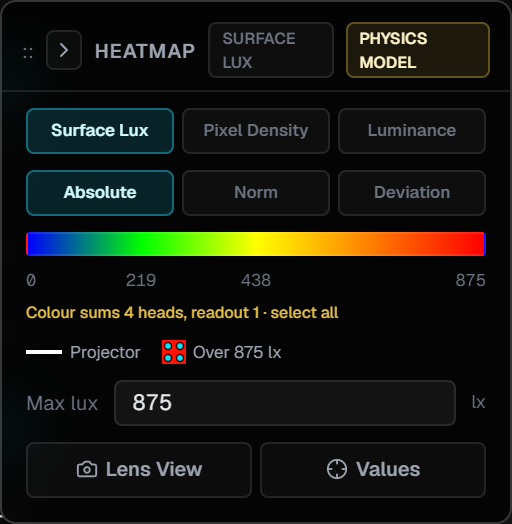
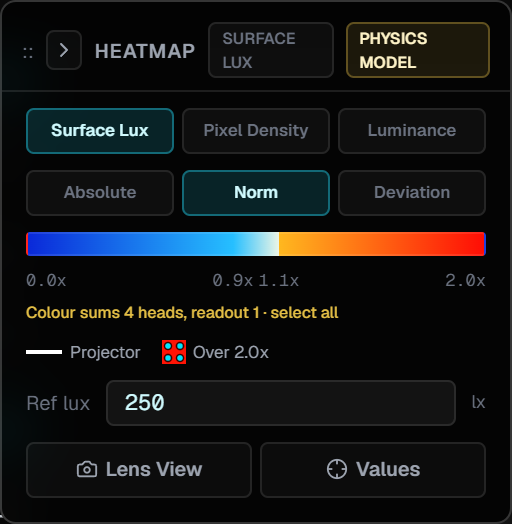
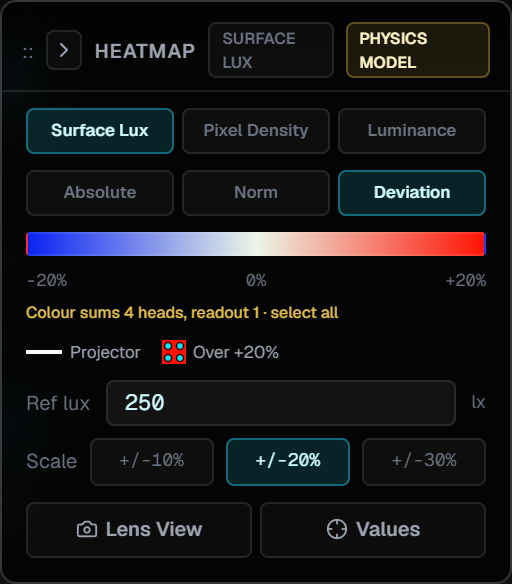
Use the same scene to compare absolute values, reference ratios and percentage deviation.
13PT DIAGNOSTIC
Press Values in the Heatmap panel to place nine ANSI points and four quarter-points on the target. The panel adds center, average and uniformity summaries with a grade. Move a projector and the probes follow.
WHAT THE NUMBERS MEAN
FieldLux calculates from projector and lens specifications, scene geometry and the surface materials you set. It is an optics-based planning estimate, not a lux-meter reading.
INPUTS
Lumens, optics, distance, surface angle, overlap and anything in the beam's path, such as walls, scrims and mirrors, determine Surface Lux. Image size and resolution determine Pixel Density. On ordinary surfaces, material reflectance and screen gain affect Luminance only. Ambient light feeds the contrast ratio, not the lux value.
BASIS
The Heatmap panel header names the calculation basis, Physics Model for every head in today's library, and the details show a Physics estimate badge. Epson and Panasonic lux values are cross-checked against the manufacturers' own calculators and labelled Center Illuminance when applicable.
FIELD CHECK
Use FieldLux to plan and compare options, then check critical values on site before final sign-off.